I’m a firm believer that if I can run enterprise networking at work, I can run it at home too.
So my home Wi-Fi is powered by a Cisco WLC9800-CL running 17.12.03 in an SSO High Availability setup. It’s probably overkill, but that’s part of the fun.
Then came the infamous Sonos app upgrade.
Ever since that update, my Sonos system became practically unusable. I couldn’t add speakers, join existing ones to my system, or get everything working reliably. The wireless network itself was rock solid, but Sonos clearly wasn’t happy.
I spent countless evenings capturing packets, tweaking wireless settings, reading forum posts, and second-guessing my own configuration. After nearly a year of getting nowhere, I did something every geek hates to admit:
I gave up.
The speakers sat unused for the next year or two, collecting dust while I listened to music through other devices. Every now and then I’d think, “I should really figure that out,” but I never found the motivation to dive back into it.
Until now.
This time, I decided I wasn’t stopping until I understood exactly what was going on. No more random configuration changes or hopeful reboots—I wanted to get to the bottom of it once and for all.
Running a Cisco WLC at home is great for just about every device I own. But Sonos is built for the average home network, where discovery protocols simply work without enterprise features getting in the way.
After another deep dive into packet captures, wireless debugging, and plenty of trial and error, I finally found the culprit.
The funny thing is, neither Cisco nor Sonos was really “broken.” They simply had different expectations of how a network should behave, and my home lab happened to expose that mismatch.
The experience reminded me of an important lesson: just because you can run enterprise Wi-Fi at home doesn’t mean every consumer device will appreciate it. Sometimes being a geek means spending years chasing a problem that most people would have solved by buying a new router.
I’m glad I didn’t.
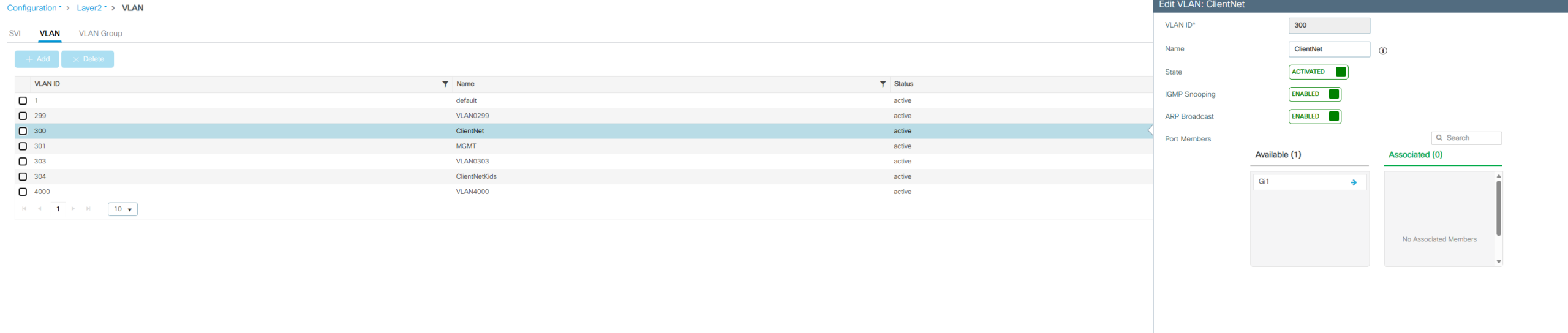
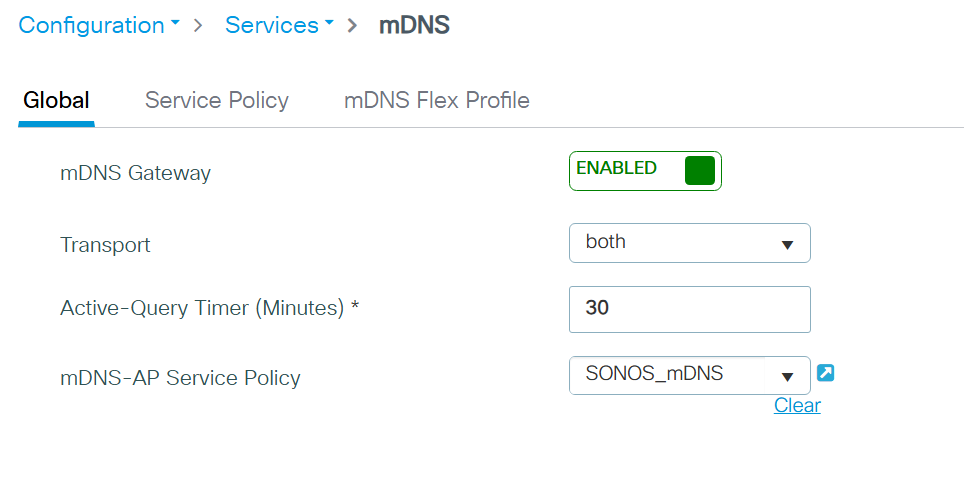
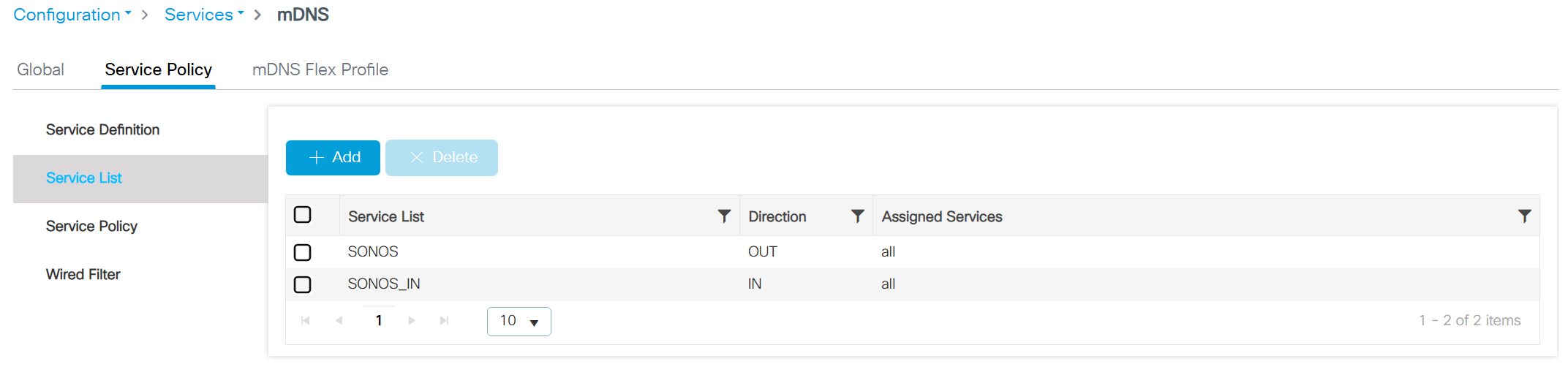
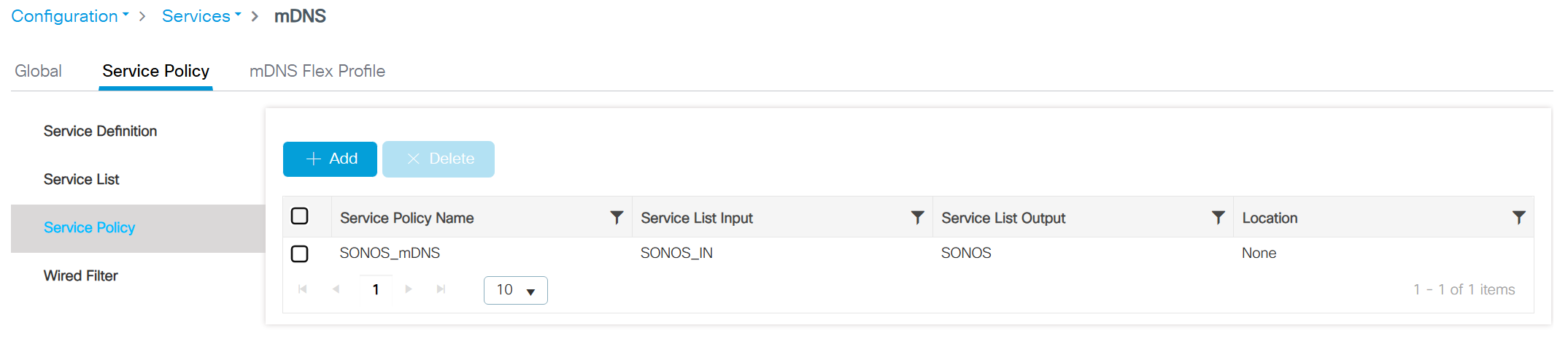
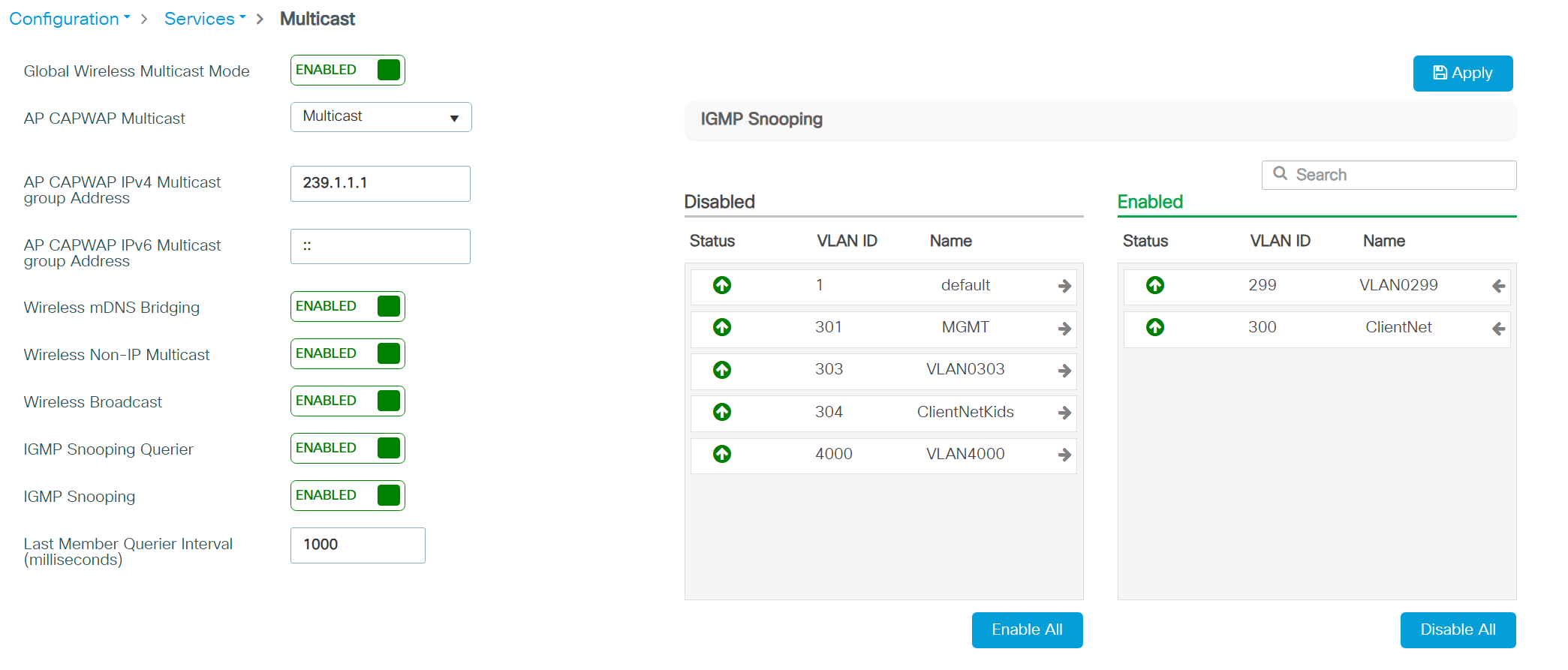
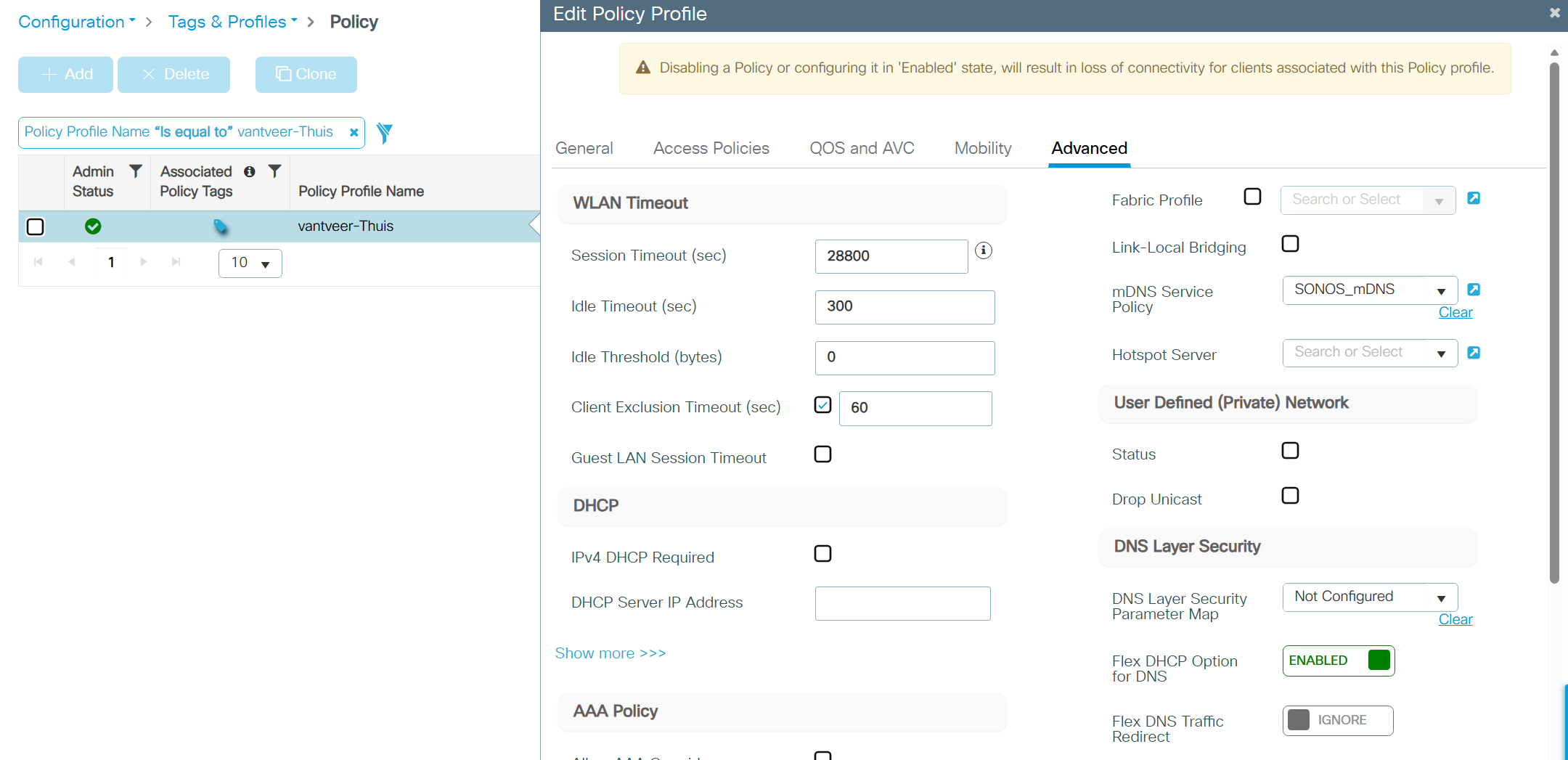
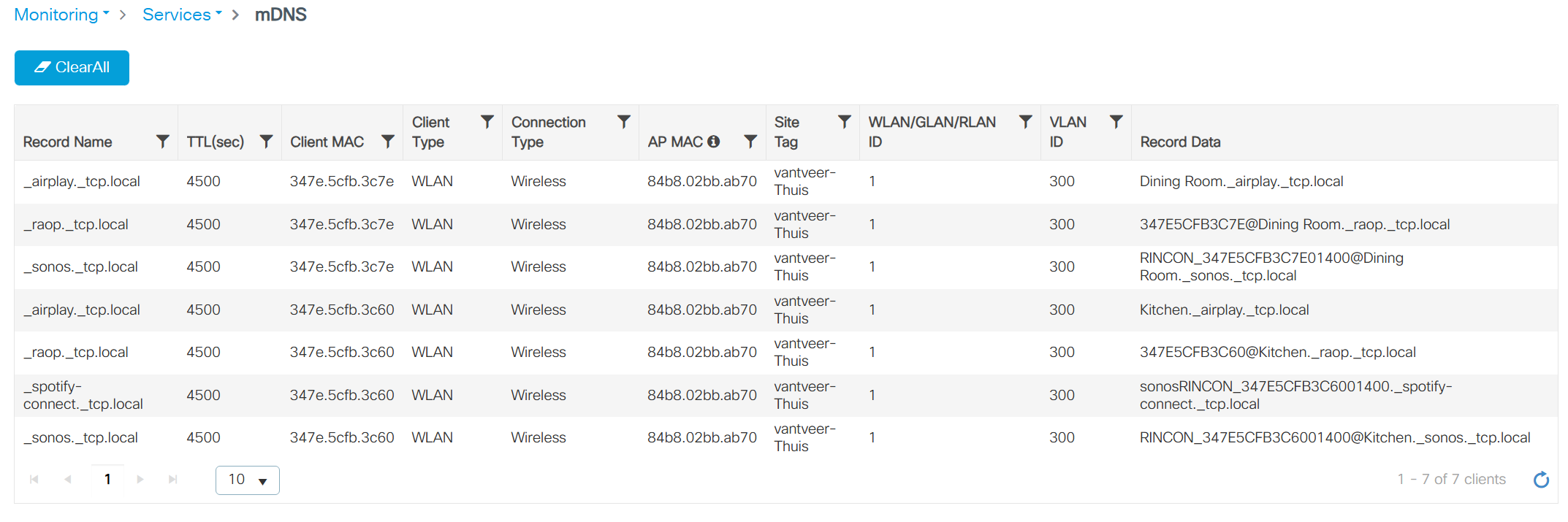
Here are screenshots of the configuration that makes everything work. I did have to reset all the speakers a few times to get the discovery to run smoothly, but hey, they work ;).
One remark: it seems you now can disable SonosNET in the app, which is great, i do not need another wifi mesh at home, the WLC is handling everyhing just perfectly by itself.